
Applies to SafeConsole 5.9.9.118 +
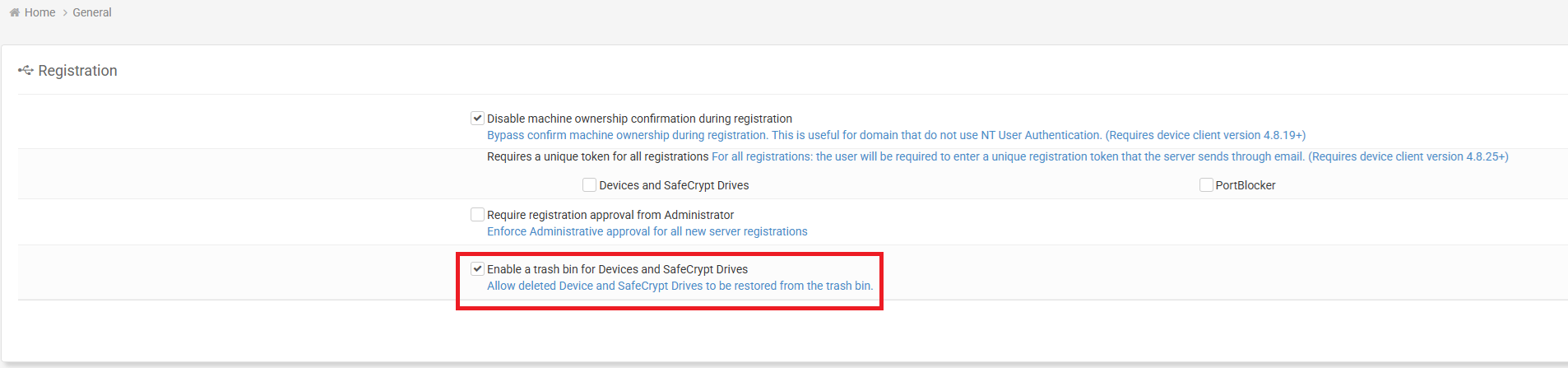
This applies when the server setting ‘Enable a trash bin for Devices and SafeCrypt Drives’ is checked:
When deleting a device from either the device profile or the devices list, you will be prompted with a dialog:
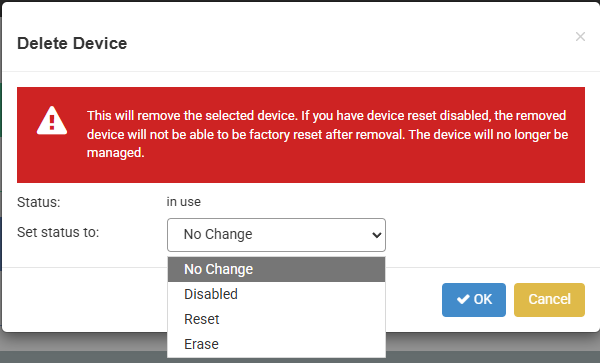
The potential options are ‘No Change’ (Default), ‘Disabled,’ ‘Reset,’ and ‘Erase’
When deleting a single device, only possible statuses are shown in the dropdown.
If multi-selecting devices to delete from devices list, the additional checkbox ‘Apply change to all rows that are checked’ will be shown:
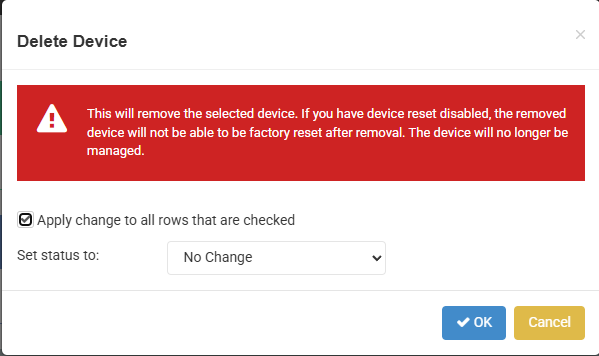
When deleting multiple devices, all status options are shown but delete will fail for devices that cannot transition to the selected status.
Confirming will put applicable devices into trash as before, but status will reflect the selected status option:

Note that ‘No Change’ will keep the existing device status.
When the device client is next launched, assuming it is able to contact SafeConsole, the status will be applied (e.g. if ‘Reset’ is chosen, the device will factory reset). SafeConsole will reflect the changed status accordingly.
License Usage;